
Please follow the steps below to start the registration process. If you need tutorials on this process,
please select the links below before proceeding:
Please make sure to complete all tabs.
Step 1: Select this link: K F Agency Inc, DBA Bankers Life SureLC Registration Link
Step 2: Click on Register New Account.
Step 3: Enter your Social Security Number.
Step 4: Enter your Last Name.
Step 5: Enter your Date of Birth.
Step 6: Enter your Banker’s email address to use as your Login ID. Do not use a personal email.
Step 7: Select CREATE ACCOUNT.
Step 8: Next, you will receive a confirmation email (this email could take an hour or so to arrive). It comes from setup@surancebay.com. This email will contain an option to Click Here, do so to activate your account.
Step 9: Create your Password and accept Privacy Policy and Terms of Use. This completes the registration process. You will see the following:
YOU CANNOT SUBMIT THE FULL PACKET OF INFORMATION UNTIL THERE ARE NO RED OR YELLOW NOTIFICATIONS, THESE INDICATE DOCUMENT IS INCOMPLETE. When process is completed correctly you will see this box:
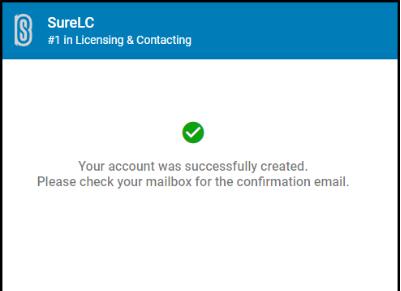
Step 10: You will then be taken to your producer profile. Enter demographic and required information to complete profile. Your mailing address must match your business address. Do not use your resident address.
Note: When uploading your proof of E&O(Errors & Omissions) only 1 page is allowed, so only add the declarations page.
Once you have completed the necessary steps, the system will notify us you have registered. We will complete your setup and send a welcome email to confirm. Do not register for website access until you receive this welcome email.
Feel free to contact us with any questions at life.contracting@simplicitygroup.com.